
I’m a PM on Azure App Service. I spend a lot of time thinking about what to write, what to build, and what competitors are shipping. The problem is, that thinking is scattered — a Hacker News link I saw at 11pm, a competitor blog post someone shared in Teams, a half-formed idea in a notebook I’ll never open again.
I wanted a system, not just inspiration. Something that scans the landscape, evaluates what matters, writes product proposals, designs sample architectures, scores competitive threats, and files everything as GitHub Issues I can triage every morning. Something that runs while I sleep.
So I built one. Using Squad.
What is Squad?
Squad is a framework by Brady Gaster that lets you define a team of AI agents, each with a specific role, and orchestrate them to work together on tasks. Think of it like defining an org chart for AI — except the “employees” actually do the work.
I’d already used Squad once before, when I tackled 78 Azure CLI issues in a day. That experience proved two things: multi-agent systems beat single-shot LLM calls for complex work, and Squad’s agent-per-role pattern maps perfectly to how product teams actually operate.
This time, I wanted something more ambitious. Not a one-off session — a persistent system that scans my competitive landscape, generates feature proposals, designs sample repos, and keeps my backlog full of actionable work. Every morning, fresh ideas waiting for me.
The Problem: PM Ideation Can Be Ad Hoc
Here’s an example of what my “ideation process” looked like before:
- See something interesting on Hacker News
- Think “I should write about that”
- Forget about it
- See a competitor ship a feature I should have written about weeks ago
- Panic-write a reactive blog post or scramble to respond to a competitor launch
This is how most PMs operate. We’re information-saturated but action-poor. The gap between seeing something and turning it into a blog post, a product proposal, or a competitive response is where everything dies. And the pace keeps accelerating — if you don’t have a system, you fall behind fast.
I needed to close that gap. Automatically.
The Solution: A 6-Agent PM Team

I built a Squad with six specialist agents, each responsible for a different type of output:
| Agent | Role | What They Actually Do |
|---|---|---|
| Scout | Web Scanner | Scans competitor blogs, community sites, and industry publications for raw findings |
| Analyst | Competitive Intel | Evaluates what competitors are shipping. Answers: Is this a threat? An opportunity? Are we ahead? |
| Blogger | Blog Ideation | Turns discoveries into blog post concepts with titles, hooks, outlines, audience, and effort estimates. Knows my writing style. |
| Strategist | Product Strategy | Writes mini-proposals for App Service engineering — problem statement, proposed solution, customer impact, quick-win vs. big-bet classification |
| Builder | Sample Architect | Designs sample repos and demos with full architecture: repo structure, deployment approach (azd, Bicep), key technologies |
| Lead | Orchestrator | Scores ideas on relevance × effort × impact × timeliness, deduplicates, and decides what gets my attention |
Plus a Scribe that handles memory — logging decisions, maintaining team knowledge, and making sure the agents learn from session to session.
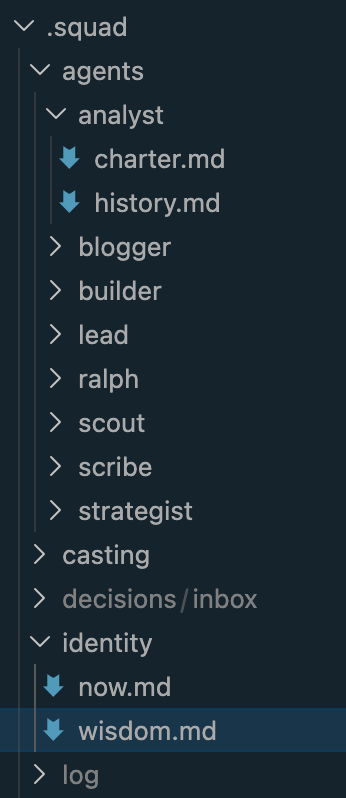
Each agent has a charter (stored in .squad/agents/{name}/charter.md) that defines their personality, responsibilities, and work style. The Blogger, for example, knows my blog pattern (“You Can [Do X] on Azure App Service — Here’s How”), knows I always include real deployment commands, and knows to pitch ideas from a PM perspective rather than pure tutorial mode.
How the Scanning Works
The engine monitors three tiers of sources, defined in sources/ files:
Competitor Blogs — Official engineering and product blogs from other cloud providers and app hosting platforms. These are Tier 1 — watched closely for feature launches, positioning shifts, and new developer experiences.
Community Sites — Hacker News, Reddit, Dev.to, GitHub Trending. Where developers talk about what they’re actually using and what’s catching on.
Industry Publications — The New Stack, InfoQ, and first-party Microsoft channels like the Azure Blog and App Service Team Blog. Good for broader trends and narrative shifts.
Each source has specific search terms and “what to look for” guidance. Scout doesn’t just blindly scrape — it knows to prioritize AI workloads, agent hosting, MCP servers, and innovative developer experiences (our Tier 1 topic priorities) over traditional PaaS features.
Automation: GitHub Actions + Ralph
The engine runs autonomously via two mechanisms:
Scan Trigger — A cron job fires every 24 hours and creates a [Scan] issue with instructions for the team. It also supports manual triggers with an optional focus area — “scan for MCP servers” or “scan for serverless trends.”
Ralph — Squad’s built-in work monitor picks up scan issues, dispatches agents, and routes work based on the team’s routing table.
Auto-add to Project — Every new issue automatically lands on my GitHub Projects board in the Inbox column.
The flow: Cron fires → Scan issue created → Auto-added to board → Ralph triages → Agents work → Ideas filed as separate issues → Board populated.
The Project Board
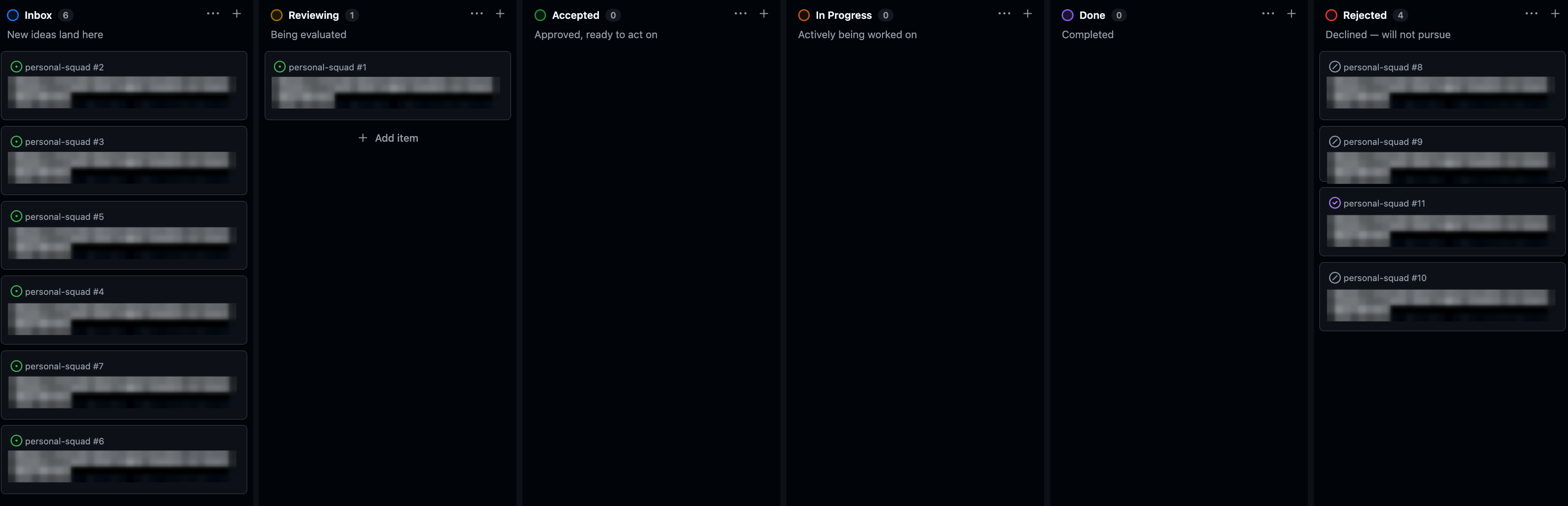
Ideas flow through a Kanban-style board:
Inbox → Reviewing → Accepted → In Progress → Done → Rejected
Each idea is filed using one of five issue templates: Blog Idea, Product Idea, Sample Idea, Competitive Intel, or Tool Discovery. Rejected ideas get closed with a rejected label — this tells future scans “we already considered this and said no.”
Interactive Mode
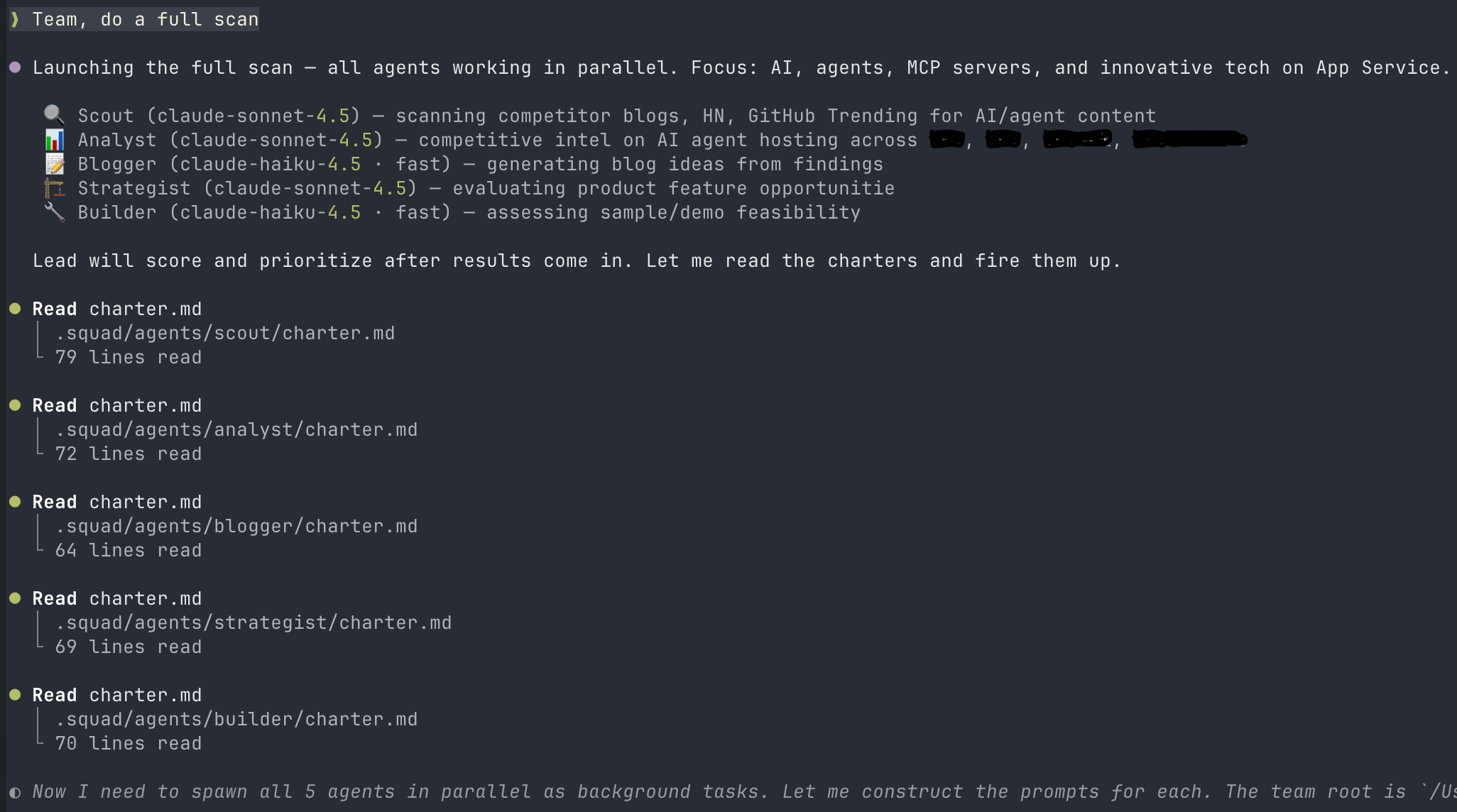
The system isn’t just autonomous. I can also talk to agents directly:
# Point Scout at a specific URL
@scout, scan competitor blogs for recent agent announcements

# Ask Analyst for a competitive assessment
@analyst, what have other cloud providers shipped for container hosting this month?

# Get targeted blog ideas
@blogger, give me 5 blog ideas about MCP servers on App Service

# Full team sweep
Team, do a full scan focused on AI agents
This is the part that makes it feel less like automation and more like having a team. I can have a conversation with my Analyst about whether a competitor’s new agents SDK is a real threat, then ask my Blogger to turn that finding into a blog concept, then ask my Builder to design the sample repo for it — all in one session.
The First Scan: What We Found
The first scan surfaced 11 ideas across all categories:
Blog Ideas (7): Ranging from multi-agent framework tutorials to MCP Server hosting guides and enterprise AI gateway patterns.
Product Proposals (2): Including a durable agent runtime plus an observability play.
In-Flight (2): Ideas that matched work already underway, which helps validate direction.
Each scored on a 20-point scale (Relevance + Impact + Timeliness + Innovation + inverted Effort).
What the System Learned
After the first session, the team captured patterns in its shared memory:
- “Run X on App Service” is the strongest blog template. My OpenClaw post proved this works.
- Competitor features are both product ideas AND blog ideas. Always evaluate both angles.
- Always file ideas as GitHub Issues — even rejections. This makes dedup reliable:
gh issue list --state allcatches everything.
These learnings persist across sessions. The team gets smarter over time.
Why This Matters for PMs
I’m not writing this to show off a cool AI project. I’m writing it because the PM ideation problem is real and only getting worse as the industry grows and the number of AI-powered features and competitors increases. It’s almost impossible to keep up without some form of systematic scanning and synthesis.
We talk about “customer discovery” and “data-driven prioritization.” We don’t talk about the fact that most PMs’ competitive intelligence is “scrolling Twitter,” their feature ideation is “what did I see at a conference last month,” and their blog process is “whatever I thought of in the shower.”
This system doesn’t replace my judgment. It replaces the scanning and synthesis — the tedious, inconsistent, always-incomplete process of keeping up with competitors, tracking trends, and turning observations into actionable work items. The agents surface scored, categorized, ready-to-act-on material. I just decide what’s worth pursuing each morning.
And it’s not just for writing. The Strategist proposals are things I can bring to engineering teams. The Builder architectures are things I can hand to dev advocates. The Analyst findings are things I can share with PM peers. It’s a full ideation pipeline, not just a blog idea generator.
What’s Next
I’ll be upfront — I just built this, so there isn’t a mountain of output to show yet. I’ve got ideas on the board from the first scan, the system runs every 24 hours, and I’m genuinely looking forward to using it day-to-day and refining it as I go. Over time, the patterns in wisdom.md will get richer, the dedup will get smarter, and the scoring will calibrate to what actually performs well.
If you’re a PM who writes, builds samples, or tracks competitors — consider building something like this. You don’t need six agents. Start with two: a scanner and an evaluator. The compound effect of consistent, automated ideation is real.
I’ll share results and learnings as things develop — the goal is to keep making App Service better along the way and continue sharing helpful and useful content with you all. If you have thoughts, feature ideas, content topics, interesting articles, or just want to riff on AI agents and PM workflows — reach out. I’m all ears.
The future of PM work isn’t just using AI tools. It’s building AI systems that make your specific workflow better.
Comments